
 English
  Français
  Italiano
  Español
  Português
  Deutsch
 Backups
Built-in backups with free cloud copies. Nothing to install and nothing extra to pay: every Glow site gets scheduled backups with off-site storage included in your plan.
- Free cloud copies on every plan
- 1-click full or selective restore
- Hourly database snapshots (Extended)
I think of Glow as having it all in one place. They thought of everything that we need in order to manage our clients’ WordPress sites.

Jason, Founder, Jason Hunter Design
Backups that are already installed
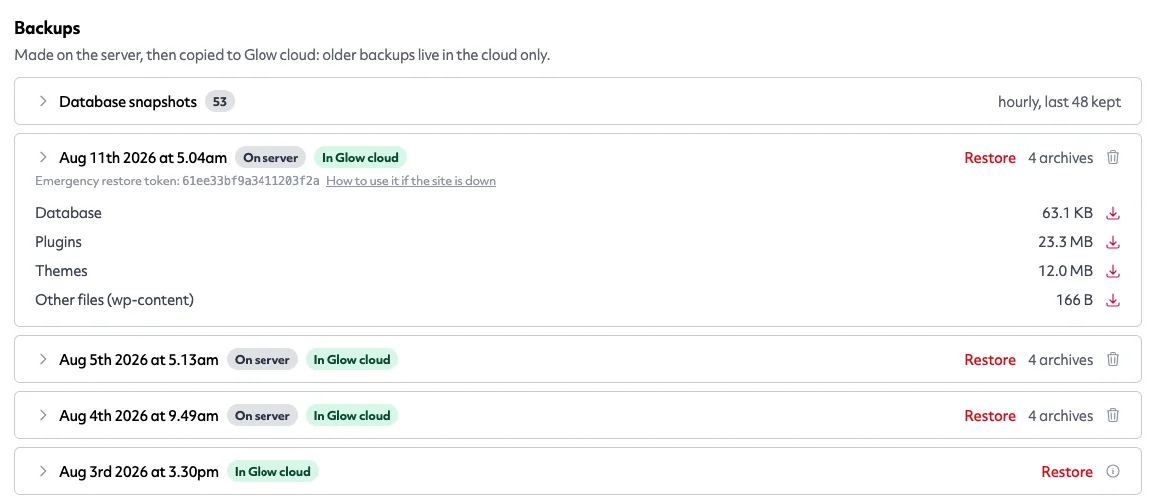
The Glow plugin you already use for updates and monitoring is also your backup engine. Turn backups on and a daily schedule starts: database, plugins, themes and media, each in its own archive so restores can be surgical.
Prefer UpdraftPlus? Keep it. Glow works with it too, and your Glow cloud storage covers its archives as well.
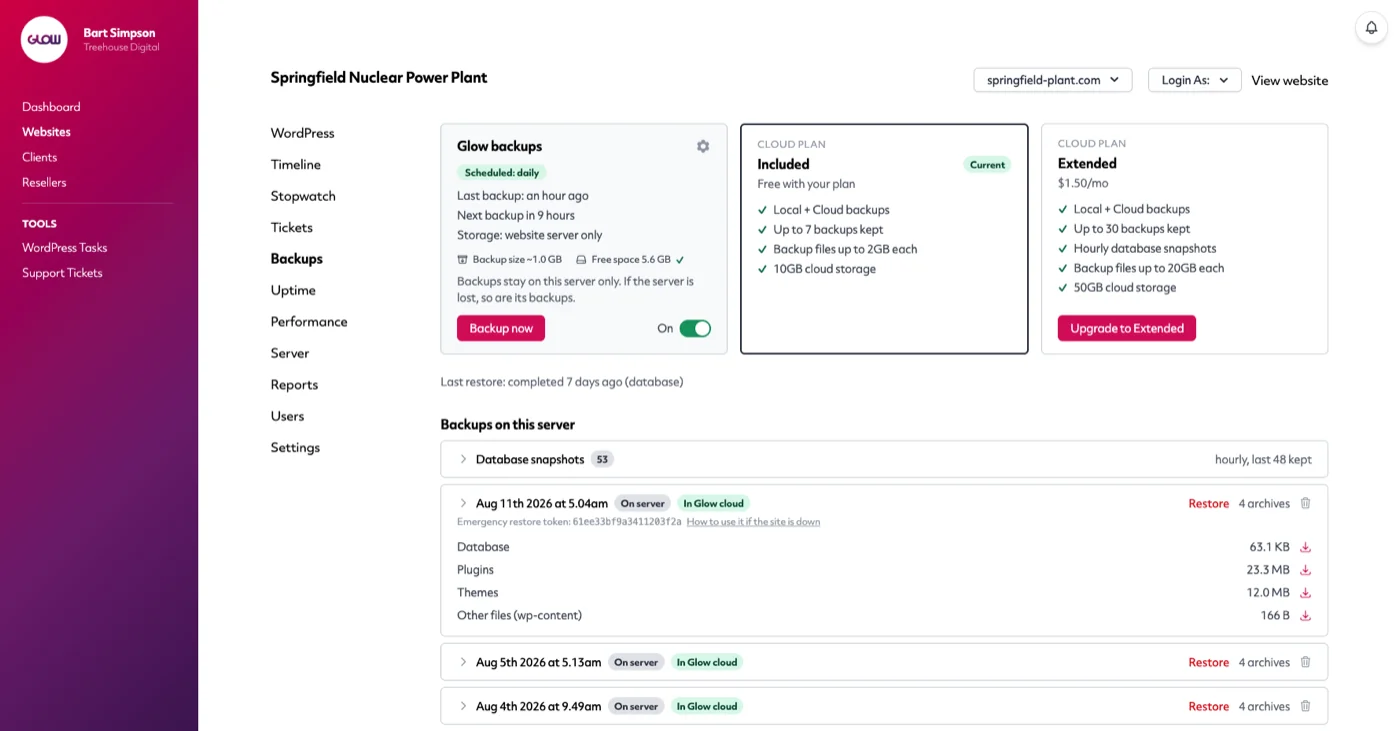
Free cloud copies, stored in the EU or US
Every paid plan includes off-site copies: after each backup, your archives are encrypted and uploaded to Glow cloud, with your choice of European or United States storage.
The included tier keeps your last 7 backups with 10GB of cloud storage per site: enough for the vast majority of WordPress sites, free, forever.
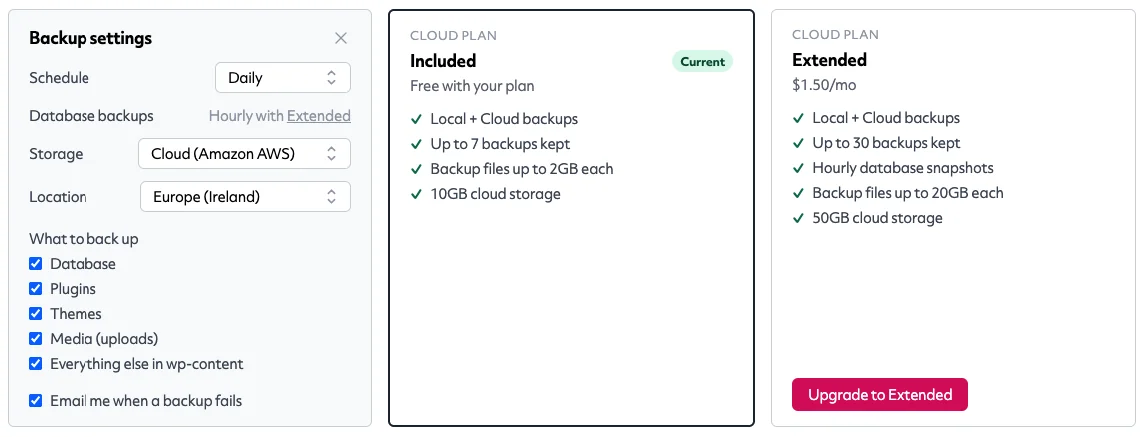
Fast, light backups even on big sites
Glow backs up your database, plugins, themes and media as separate archives, so each run only does the work that’s needed.
Backups run in the background on your site’s own schedule, throttle themselves on shared hosting and check free disk space before starting. Even image-heavy sites back up quickly without slowing down for visitors.
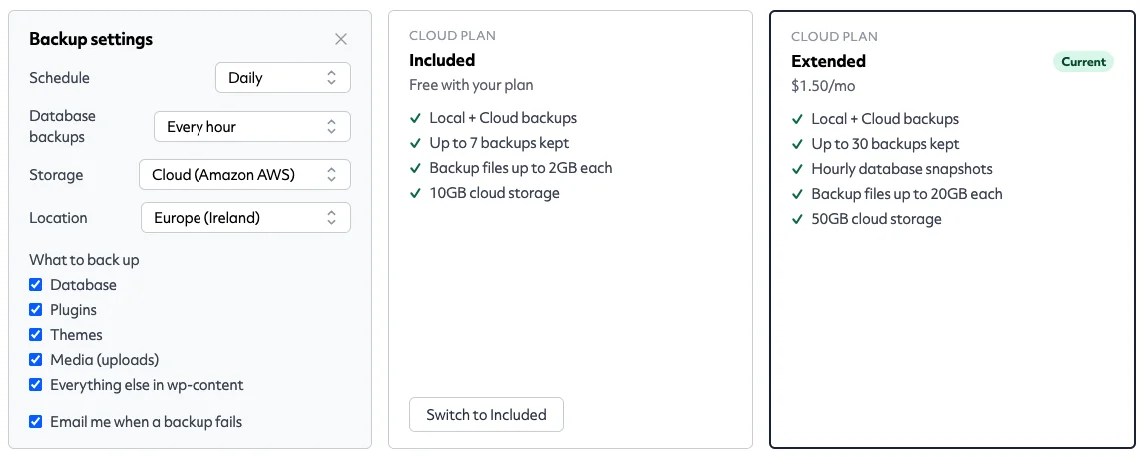
Restore anything: even a site that won't load
Restore a full backup, or just the database, files or media, in one click. Glow takes a safety snapshot before every restore, so a restore can never make things worse.
And if a site is so broken that WordPress won't start at all, every backup ships with a self-contained emergency restorer: upload it with your archives, open it in a browser, and bring the site back without Glow, WordPress or anything else running.
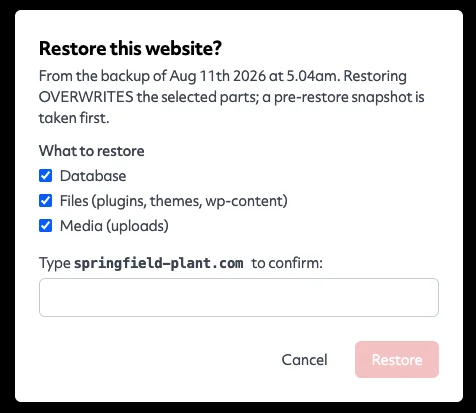
Hourly database snapshots for busy stores
Running WooCommerce or a busy membership site? Upgrade to Extended backups for $1.50 per site per month: your last 30 backups kept, backup files up to 20GB, 50GB of cloud storage, and hourly database snapshots.
Orders, members and content are captured every hour: if something goes wrong, you lose minutes, not days.
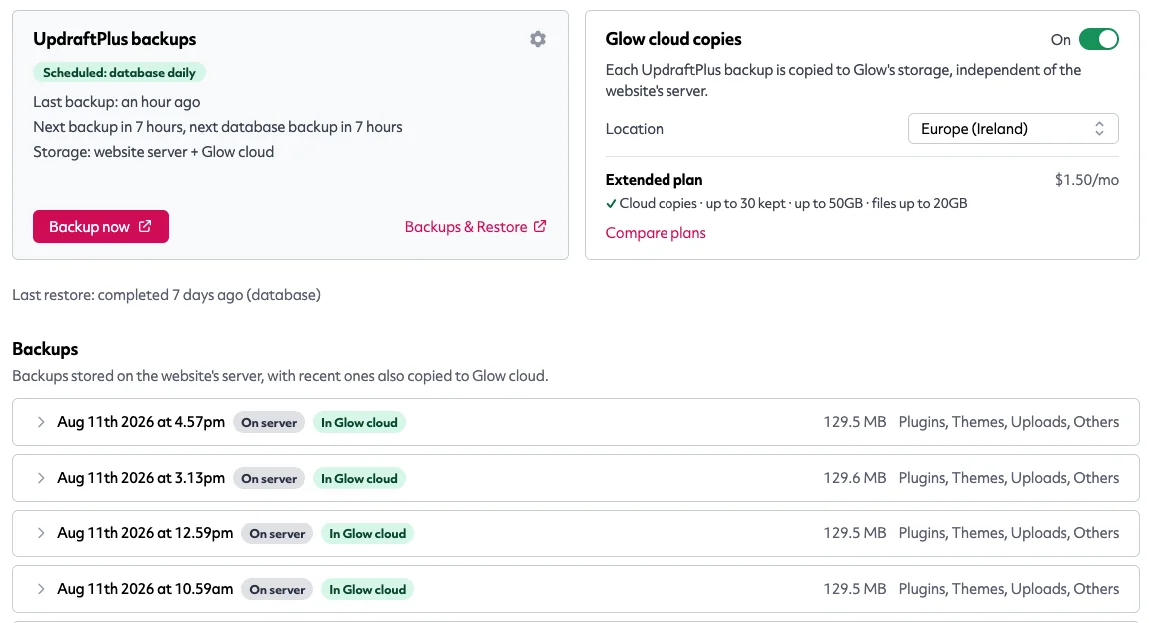
Prefer UpdraftPlus? Glow plays nicely with it
If your client already relies on UpdraftPlus, keep it. Glow runs alongside it rather than replacing it: every UpdraftPlus backup is copied to your Glow cloud storage, independent of the website's own server, so there is always an off-site copy. Choose the region, keep your existing UpdraftPlus schedule, and see it all in the same Glow dashboard.
Digital agency and web development teams trust Glow:

WordPress Management Tools

WordPress Management Tools

WordPress Management Tools

WordPress Management Tools

FAQs for our Backups feature
Do I need to install a backup plugin?
No. Backups are built into the Glow plugin that's already on your connected sites. Turn them on from the site's Backups tab and a daily schedule starts.
If you already use UpdraftPlus, Glow supports it fully: keep your existing setup, and Glow cloud can store copies of its archives too.
What's included for free?
Every paid plan includes cloud backups at no extra cost: a daily schedule, your last 7 backups kept, backup files up to 2GB each and 10GB of encrypted cloud storage per site, in the EU or US.
What does Extended add?
Extended is $1.50 per site per month and adds: your last 30 backups kept, hourly database snapshots, backup files up to 20GB each and 50GB of cloud storage. Built for WooCommerce stores and large sites.
Where are my backups stored?
Wherever you choose: on the site's own server, in Glow cloud, or both. Glow cloud copies are encrypted and stored on AWS in Europe (Ireland) or the United States (Virginia): you pick per site, and you can move stored copies between regions at any time.
What if a site is completely down?
Every backup includes a self-contained emergency restorer with a one-time token shown in your Glow dashboard. Upload the restorer and the archives via your host's file manager, open it in a browser, and it rebuilds the database and files with no working WordPress required.
Will backups slow down my clients' sites?
Backups run asynchronously, throttle themselves on shared hosting, and check available disk space before starting. Your visitors won’t notice a thing, even on image-heavy sites.
Other Features
Support ticket system
Still doing customer support by email? Seriously? Our ticket system keeps all your comms in one place. Whoop!
More about Support ticket systemStopwatch
Track how much custom dev time has been used on a client’s account. Perfect for account management.
More about StopwatchReseller
Work with agencies who outsource their maintenance work to you? Now you can run it all through Glow.
More about Reseller